I could leave the pictures free of text and let the caption tell the story, or put the words on the slides and keep the caption short. Both versions used the same wardrobe campaign. I worked on the text for each alongside the images it would accompany.
AI had helped me explore several ways to tell the story. I chose one, then carried that choice into the copy document, designs and files for posting.
Choosing the buried outfit
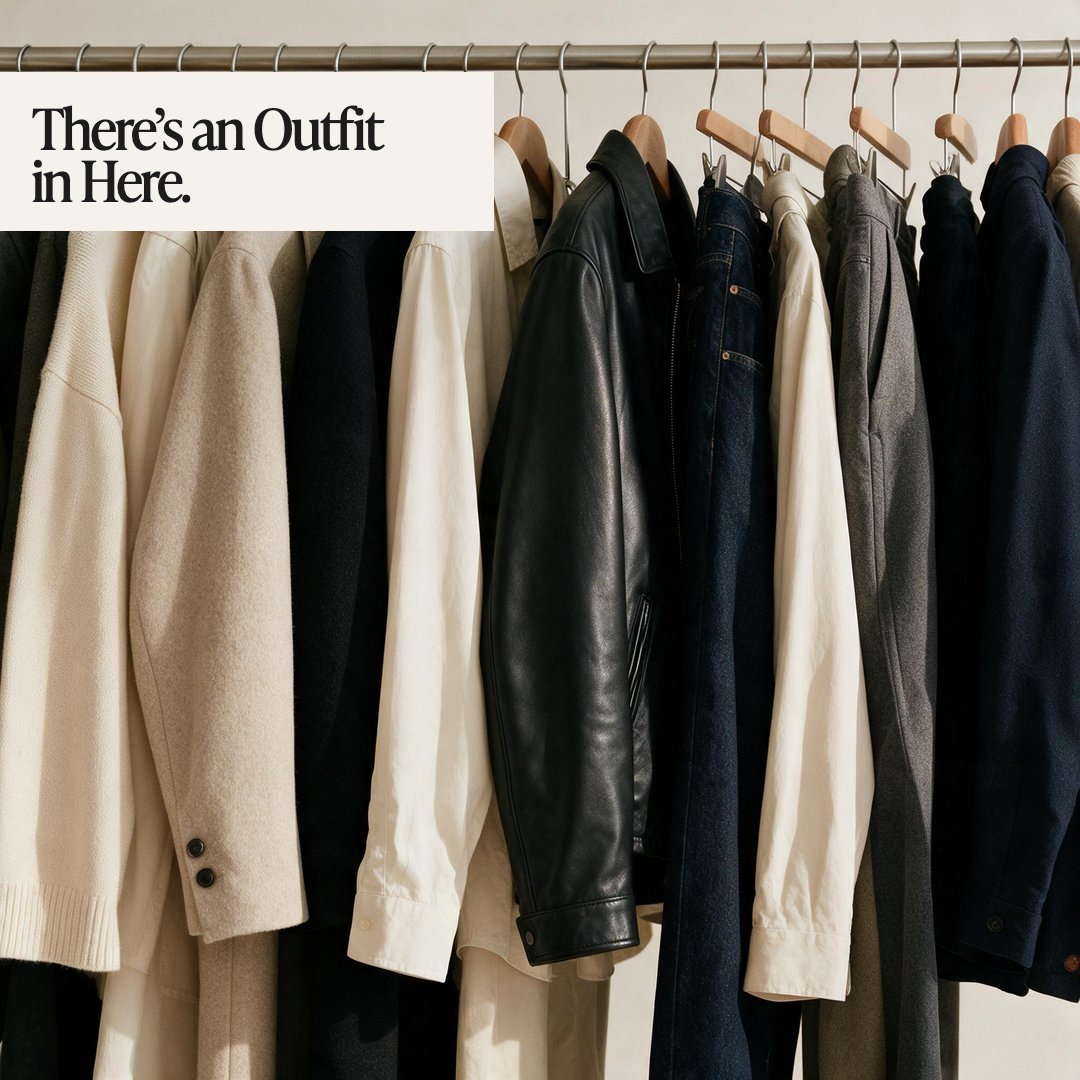
The campaign followed a cream knit from a crowded wardrobe into an outfit with a leather jacket and jeans. I picked its copy from three options.
The options began with a third outfit change at 7.40am, a claim that “You don’t need more clothes”, and an outfit hidden among the clothes in the first picture.
I chose the buried outfit. “The knit you’d buried” referred to the piece on its own. “Leather over cream” went with the close view of the jacket and knit together.
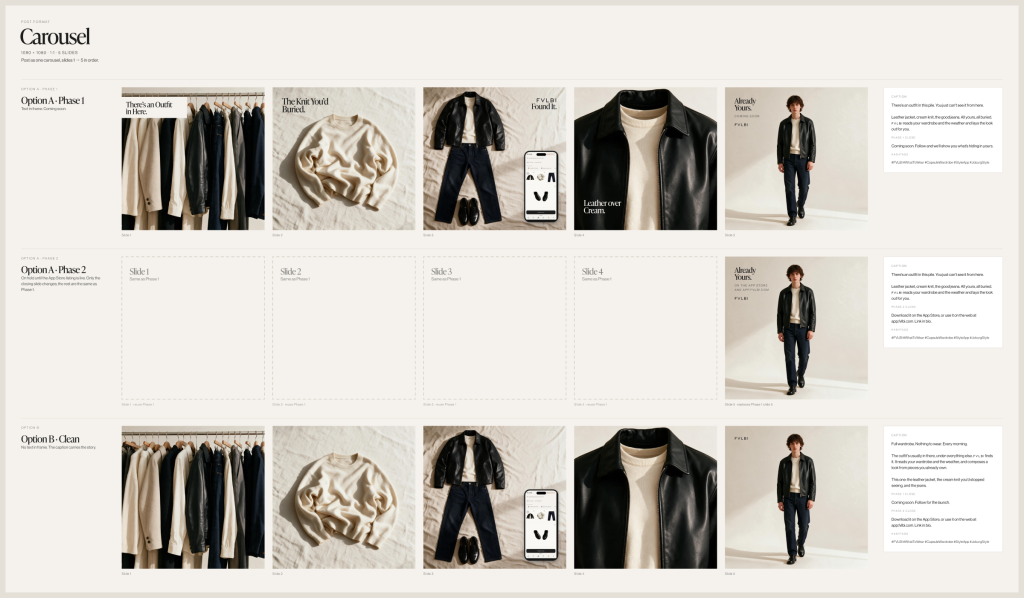
The carousel began with “There’s an outfit in here” and used “Already yours” as the final headline. The scenes supplied the clothes those lines referred to. I could read the sequence from the rail to the person heading out and see where each line belonged.
For the version with words in the frames, the caption began, “There’s an outfit in this pile. You just can’t see it from here.” It went on to name the leather jacket, cream knit and jeans. A reader could follow the story in the pictures and use the caption for more about the outfit.
The version without text on the pictures gave the caption more to do. Its opening was “Full wardrobe. Nothing to wear. Every morning.” It then described the outfit among those clothes and named the pieces. I kept that longer caption with the clear frames, where there were no headlines to carry the sequence.
The campaign had its own voice rules. Exclamation marks were out, as were words such as “perfect” and “easy”. Contractions were fine. I worked within those limits while choosing the lines. The lines could name the problem without making the product sound as if it could solve every morning.
Keeping a caption with its pictures
There were three campaigns in the set, each with a Story, a single-image post and a carousel. Each also had the choice of text in the frame or pictures without text. The copy document kept the captions with their formats and versions.
One small instruction came from a different campaign, about three outfits made with one jacket. Its longer caption included “Swipe for three”. The copy document restricted that line to the carousel and left it out of the Story and single-image post. I kept the instruction beside the caption so that it would not be copied into every version of the campaign.
I also put caption cards beside the designs in Figma. These held the words intended to sit beneath the post. I could read the caption next to the full set of frames, including the headline on the last one, without collecting the text from a long chat.
The editable Figma designs and the posting PNGs were separate outputs. The PNGs were built outside Figma, so changing a headline in the design file would not update the posting images. When I changed the copy, I updated both sets and checked them against the chosen words in the document.
The closing line changed with the release phase. The first set said “Coming soon” and invited people to follow. A later set named the App Store and web app. On 21 October there was no live App Store listing for the campaign to link to, so I held that later set.
Much of the imagery stayed the same between those phases. In Figma, the later-phase row could refer back to an earlier frame where no change was needed. In the posting folders, I kept copies of those frames with the changed ones so that each folder held a complete set.
The version that went out
On 21 October, the buried-outfit update reached the copy document, final images and Figma file. The headlines and caption cards were checked together. I posted the selected Story and carousel on Instagram that day, using the versions with words in the frames.
What the closing line promised
Until that day, the directions and phases were together in one document. They included the selected copy, other options and a later set. Posting changed that for one of them. The Story and carousel that went out made a public claim with a date on it.
“Coming soon” was true on 21 October and invited people to follow for an App Store listing that wasn’t live. The App Store set, finished and sharing most of its frames with the posted one, would have told people where to find the app on the App Store before it was listed, so it stayed in its folder.
The two sets look almost identical and differ in the line that says what the reader can do next. That line is what dates them.
When I come back to this campaign, the question will be which version was public, when, and what its closing line promised. The other two openings and the held set are part of the answer, because they show what the posted version was chosen over and what was waiting behind it. So the record I want keeps the chosen words with their images and their date, and keeps the alternatives close enough to explain the choice without ever reading as the post.

Comments