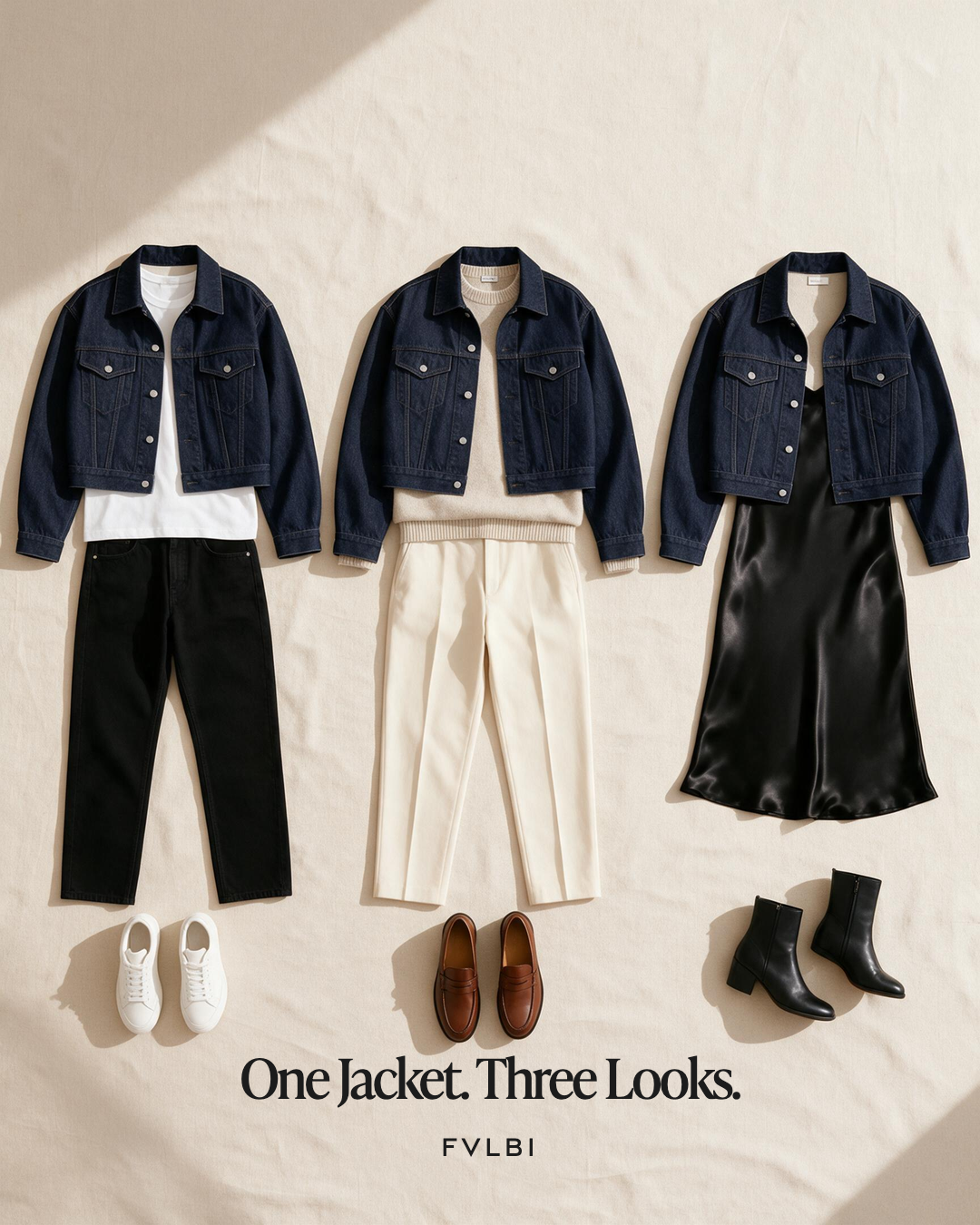
The illustration below puts the same denim jacket into three looks. It draws on “One Piece, Many Looks”, one of my October campaigns for FVLBI, the styling app I’m building.
The campaign comes from a line in the brand book, “The wardrobe you already own, reconsidered.” The harder part is carrying that promise into an app.
Three uses for one jacket
In the campaign’s carousel, the jacket goes from a weekend outfit to an office look and then to dinner. A tee, black jeans and trainers make up the first look. The next uses a stone knit with cream trousers and loafers. A slip dress and ankle boots make the third. The illustration here uses slightly different pieces to show the same idea.
I kept the jacket as the link between those outfits. Someone who bought a piece for one occasion may already own clothes that let them wear it elsewhere. The campaign starts with that familiar piece and shows a few ways to put it to use.
The app build includes helping someone add their clothes, see a suggested look and find it again later. The jacket in the campaign is one piece I chose. In a wardrobe on the app, each person brings their own mix of clothes.
From the campaign to the web app
The April 2026 rebrand plan began with the shared design rules, followed by the pages. It covered the words in the web app and the help text as well as its appearance. It reached into the instructions sent to AI as well, because the app’s written replies were part of what someone would read on screen.
I set out roles for the colours and fonts before rebuilding the pages. Warm ivory formed the background, charcoal carried the text and buttons, and copper supplied a small accent. IvyPresto was for large headings. Neue Haas was for body text and smaller labels. A card showing a saved outfit could then use the same type and colour rules wherever it appeared.
Writing for those pages also meant thinking beyond the short lines in the campaign. The brand voice is spare and quiet. A picture can do much of the work in an ad, but help text may be the only thing someone has when they’re stuck. For help with adding a shirt, a useful answer would explain the next step without making the person guess at a short label.
The plan gave me a small example in the save action. A brief message could say “Saved.” once someone had saved an outfit. An error message had a different job, with the example “Unable to complete. Try again.” The action had failed, and the words would tell the person what to do next.
The AI work had limits too. The proposed stylist reply would use the brand voice, while the tool that named the category, season and colour of a garment would keep its technical instructions. Those labels help the app describe the clothes. I wasn’t asking that tool to make its output sound like an ad.
The plan also left the substance of disclaimers and legal clauses intact. Names and the text around those clauses could change with the rebrand. The clauses themselves would stay as written. A broad pass over the app’s words could otherwise change text that had to stay exact.
Giving the outfit room
The motion plan made a distinction between routine taps and the outfit reveal. A button would move slightly when pressed. A change of view would fade in. The outfit image was given a more noticeable effect, moving from blurred to sharp like a photograph coming into focus.
The reveal would mark the result someone had waited for, while most of the controls around it would confirm an action and let the person carry on. The plan also turned motion off when someone had asked for reduced motion on their device.
Choosing the phone platform
The phone build brought a separate choice. In June, I chose SwiftUI, Apple’s app-building tools, to replace the earlier Flutter version. I wanted direct access to Apple features such as purchases in the app, widgets and updates visible while an outfit was being made. Connecting them to the earlier version would have added more code between the app and those features. The first phone build would focus on iPhone, with Android left for a later decision. You can see the project at the FVLBI website.
What the campaign leaves out
The campaign lets me show the promise with clothes I have chosen and an outfit I can arrange. Someone opening the app will bring a wardrobe I have never seen. They may need help long before they reach an outfit, even to add the first shirt.
I’m still building the app, and those ordinary steps are part of the promise I need to keep. If the help is hard to follow, a well-chosen font or a beautiful reveal will not get that shirt into the wardrobe. The words that help someone through that step belong to the brand as much as the jacket picture does.
The picture can show what I mean by reconsidering the clothes you own. The app has to help you find that possibility in yours.


Comments